When Things Break Down: Explaining a Technical Problem
About this lesson: This is a B2 (Upper Intermediate) ESL lesson in the General English category. It takes about 60 minutes. It includes 5 vocabulary words, 4 idioms and phrasal verbs, a reading text, comprehension questions, discussion questions and speaking patterns. Suits one-to-one or small-group online classes. Free to open and teach with no login, and it prints as a PDF.
Print just the discussion questions
How this lesson is built
This is a complete conversation lesson built on a scientific pedagogical formula, not a generic worksheet: recall prior topic vocabulary, pre-teach the new words in depth, read in context, practise active recall with flashcards and synonyms/antonyms, build accuracy with exercises, and finish with deep discussion.
- Warm-up: Discussion questions that connect the topic to the student’s own life and recall vocabulary they already know about the subject.
- Reading: A text written for this CEFR level that uses each new word two or three times in context, giving the student something meaningful to react to.
- Key vocabulary: 5 new words, pre-taught before the reading with a definition, pronunciation guide, example sentences and a picture, plus word families, usage notes, recall flashcards and synonyms/antonyms, giving a solid grounding before reading.
- Comprehension: 5 questions that check the new words: retrieval practice, not rereading.
- Idioms and phrasal verbs: Expressions taken from the reading, each with its meaning, an example and a speaking question.
- Sentence frames: 3 speaking patterns, each at three levels of support (emerging, developing, expanding) with model answers—especially helpful scaffolding for beginners and less confident speakers.
- Gap-fill: The new words again, in a shuffled order, so the student recalls them by meaning in context.
- Sentence unscramble: Natural sentences with the new words to put back in order, reinforcing grammar and collocation.
- Discussion: 5 open questions designed to talk deeply about the subject while actively using the lesson’s target vocabulary: the heart of a conversation lesson.
- Quiz: A short retrieval check that brings every new word back once more.
Unlike a generic worksheet, the new words are taught before the reading and met again in the activities, the speaking is supported at three levels and most of the time goes on the student talking. Teachers who use PlanWise ESL also get per-student vocabulary tracking (recycling earlier words into future readings and questions), a private learner dashboard with flashcards and custom lesson creation, and a downloadable study PDF.
Warm-up: Things That Stop Working
Talk about machines and technology that have let you down, and how you dealt with it.
- What piece of technology do you use most every day?
- When something breaks at home, do you try to fix it yourself or call someone?
- Have you ever had a device stop working at the worst possible moment?
- Do you think machines break down more often than they used to, or less?
- When a friend asks you for tech help, do you enjoy it or find it stressful?
Reading Text: The Night the Machine Stopped
A short story about an engineer whose machine breaks down at the worst possible time — and how she handles it.
Last Monday, Maya arrived at work to bad news. The packaging machine at her factory had stopped during the night shift. 'It just malfunctioned,' the night manager told her. 'One minute it was running fine, the next everything froze.' About four thousand boxes were waiting, and customers expected delivery by Friday.
Maya's first job was to pinpoint the cause. Was it a broken part, a power cut, or something in the software? With so many possibilities, she started with the simplest checks and worked through them one by one.
She spent the whole morning troubleshooting: testing the sensors, checking the cables, restarting the system twice. Around noon, she finally managed to pinpoint it — a small glitch in the software that stopped the machine whenever two boxes arrived too close together.
Fixing the glitch properly would take the software company three days. That was too long. So Maya created a workaround: an extra sensor that slowed the line down just enough to avoid the problem. Production restarted by the evening.
Her manager was impressed — not only with the fix, but with how clearly Maya had explained the malfunction to everyone, from engineers to warehouse staff. 'A good engineer doesn't just solve the problem,' he said. 'She helps everyone understand it.'
Key Vocabulary
glitch

a small fault that makes something stop working for a short time
The app crashed because of a glitch in the latest update.
More examples: There was a glitch in the booking system, so we got two tickets by mistake. • Sorry, my screen froze — just a little glitch, give me a second. • I lost my essay because of a glitch, so now I save everything twice.
Common collocations: a small glitch, a software glitch, fix a glitch
Word family: glitchy (adjective)
Synonyms: bug, fault, hiccup
Antonyms: smooth operation, perfect function
Related concepts: software, computers, errors
Contexts: apps and websites, office systems, gaming
Usage note: Use 'glitch' for small, temporary faults in machines, software or systems — not for serious breakdowns. It often suggests the problem is annoying but not dangerous.
troubleshoot
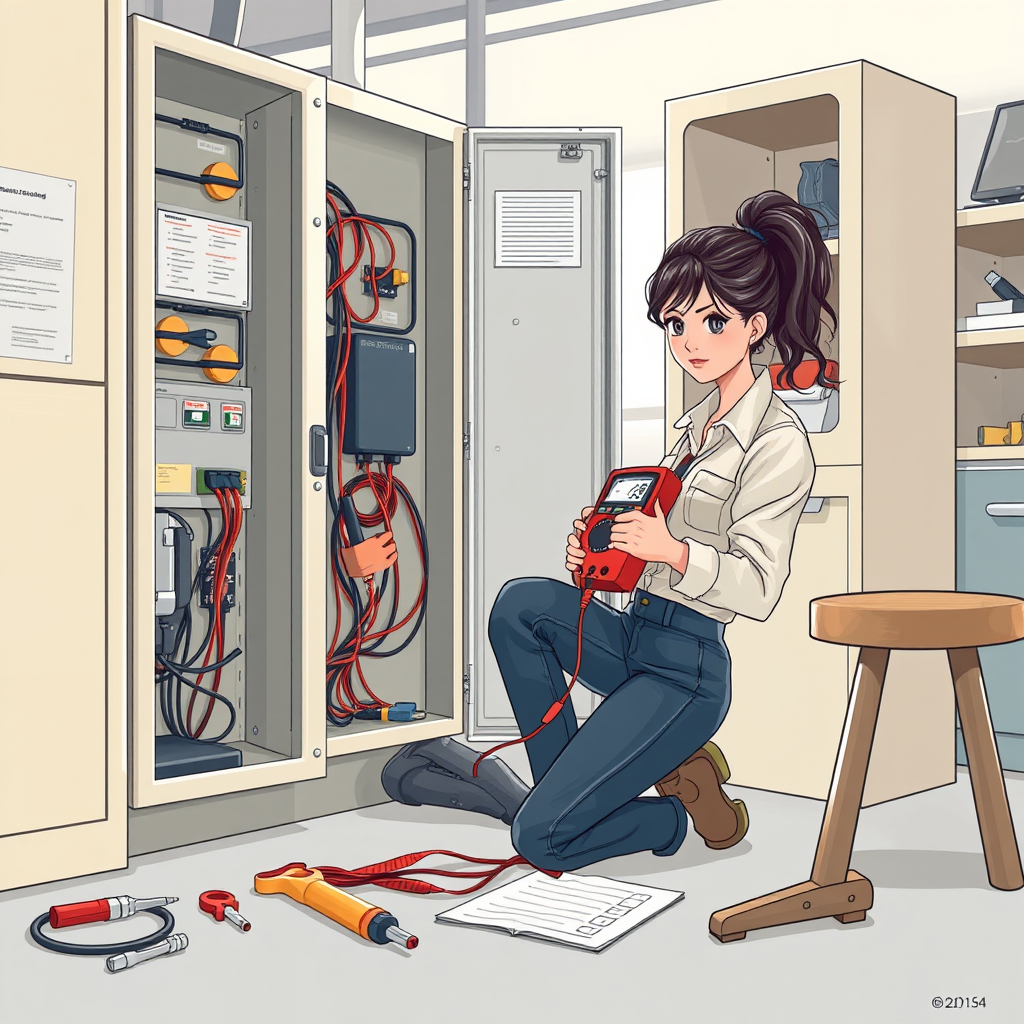
to check things step by step to find why something is not working
I spent an hour troubleshooting my internet before calling the provider.
More examples: The manual suggests troubleshooting the printer before calling a technician. • She troubleshooted the sound system for twenty minutes and found a loose cable. • Can you help me troubleshoot this? The screen keeps going black.
Common collocations: troubleshoot a problem, troubleshooting steps, troubleshoot an issue
Word family: troubleshooting (noun), troubleshooter (noun)
Synonyms: diagnose, check, investigate
Antonyms: ignore, guess
Related concepts: tech support, repair, testing
Contexts: IT help desks, factories, home repairs
Usage note: Use 'troubleshoot' when someone checks possible causes one by one. It's very common in tech support and at work. The past form is usually 'troubleshooted' or sometimes 'troubleshoot'.
malfunction

a failure of a machine or system to work correctly
A malfunction in the elevator left us stuck between floors.
More examples: The flight was delayed because of a malfunction in the navigation system. • Engineers traced the malfunction to a worn-out valve. • The report blamed the accident on a malfunction, not on human error.
Common collocations: a serious malfunction, cause a malfunction, a malfunction in the system
Word family: malfunction (verb), malfunctioning (adjective)
Synonyms: failure, breakdown, fault
Antonyms: smooth running, correct operation
Related concepts: safety, engineering, repairs
Contexts: news reports, factories, transport
Usage note: 'Malfunction' sounds more serious than 'glitch' — use it for real failures of machines or systems, especially in news, reports and safety contexts. It works for both the event and the broken state.
workaround

a temporary way to deal with a problem instead of fixing it completely
The printer is broken, but our workaround is sending files to the other office.
More examples: There's no official fix yet, but there's a simple workaround. • Her workaround saved us hours of waiting. • The workaround works for now, but we need a permanent solution.
Common collocations: a temporary workaround, find a workaround, a simple workaround
Word family: work around (phrasal verb)
Synonyms: quick fix, stopgap, temporary solution
Antonyms: permanent fix, proper solution
Related concepts: problem solving, improvising, efficiency
Contexts: offices, IT, everyday life
Usage note: Very common in workplaces and tech talk. A workaround is not the real fix — it just keeps things moving until the proper solution arrives. Often used with 'temporary' or 'for now'.
pinpoint

to find or describe something exactly and precisely
It took her an hour to pinpoint where the noise was coming from.
More examples: Doctors couldn't pinpoint the cause of his headaches at first. • The map app pinpointed our location within seconds. • It's hard to pinpoint exactly when the problem started.
Common collocations: pinpoint the cause, pinpoint the problem, pinpoint exactly
Word family: pinpoint (adjective)
Synonyms: identify, locate, determine
Antonyms: guess, overlook
Related concepts: investigation, accuracy, diagnosis
Contexts: engineering, medicine, detective work
Usage note: Use 'pinpoint' when someone identifies the exact cause, place or moment of something. It often appears with 'the cause', 'the problem' or 'exactly'. It suggests difficulty — you pinpoint something after searching.
Vocabulary Check
- What does 'malfunction' mean?
- To stop working correctly
- To start working faster than before
- To be switched off on purpose
- To work better after a repair
- Which sentence uses 'pinpoint' correctly?
- We pinpointed our meeting for Friday afternoon.
- I pinpoint my keys on the kitchen table every morning.
- The map helped us pinpoint exactly where the leak was coming from.
- She pinpointed to travel abroad next year.
- What is a 'workaround'?
- A permanent repair that solves everything
- A temporary way to keep things running until a real fix is found
- A way to avoid walking somewhere
- A type of machine part
- In which situation would you 'troubleshoot'?
- When you want to celebrate a success with your team
- When you are planning a holiday with friends
- When your computer keeps crashing and you want to find out why
- When you are writing a report about last month's sales
- What does 'glitch' mean?
- A small fault that makes something stop working for a short time
- A dangerous accident with serious damage
- A brand-new feature added to a machine
- A tool used to repair engines
Idioms & Phrasal Verbs
run fine
working well, with no problems
My old laptop still runs fine for simple tasks.
Usage note: You can also say 'run smoothly' for extra emphasis. · Right: The app runs fine now. · Avoid: The app runs finely now.
Usage note: Very common when talking about machines, cars and software.
work through
deal with things one at a time until finished
I worked through all my emails before lunch.
Usage note: The object goes between 'work' and 'through': work through the list, work through a problem.
Usage note: Also used for feelings: 'work through a difficult time'.
slow down
make or become slower
You need to slow down — you're working too fast and making mistakes.
Usage note: Separable: 'slow the car down' or 'slow down the car' are both correct.
Usage note: Also used for people and life: 'slow down and enjoy the weekend'.
backfire
have the opposite result from what you wanted
His plan to save time backfired and cost him a whole weekend.
Usage note: The picture: a gun that fires backwards instead of forwards.
Usage note: Often used with plans, tricks and shortcuts: 'the plan backfired'.
Language Practice: Talking About Problems
Practice explaining what went wrong, comparing solutions, and imagining tricky situations.
- Explaining what went wrong
- Emerging: The problem was that ___ stopped working. — The problem was that my printer stopped working.
- Developing: First ___ , then ___ , so we had to ___ . — First the screen froze, then it made a strange noise, so we had to turn it off.
- Expanding: What happened was that ___ , and it took us a while to pinpoint the cause, which turned out to be ___ . — What happened was that the whole system went down on Monday morning, and it took us a while to pinpoint the cause, which turned out to be a glitch in the update.
- Comparing quick fixes and real solutions
- Emerging: The quick fix is ___ , but the real fix is ___ . — The quick fix is restarting it, but the real fix is buying a new one.
- Developing: A workaround is good because ___ , but it could cause problems if ___ . — A workaround is good because it saves time, but it could cause problems if people forget about it.
- Expanding: In the short term, ___ makes sense because ___ ; however, in the long run, ___ would be better since ___ . — In the short term, slowing the line down makes sense because we can still deliver on time; however, in the long run, updating the software would be better since it removes the problem completely.
- Imagining technical problems and solutions
- Emerging: If my ___ stopped working, I would ___ . — If my laptop stopped working, I would take it to a repair shop.
- Developing: If ___ malfunctioned at work, I would first ___ , then ___ . — If the printer malfunctioned at work, I would first restart it, then check the manual.
- Expanding: If I had to explain a technical problem to someone with no technical knowledge, I would ___ because ___ . — If I had to explain a technical problem to someone with no technical knowledge, I would compare it to something from daily life because analogies make it easier to picture.
Fill in the Blanks
Last winter, our office heating system _____ed during the coldest week of the year. Nobody could _____ the cause at first, so we used two small electric heaters as a temporary _____. Eventually, the maintenance team discovered a _____ in the thermostat's software, and they spent the whole afternoon _____ing until everything worked properly again.
Word bank: glitch, troubleshoot, malfunction, workaround, pinpoint
Sentence Unscramble
- The / engineer / quickly / pinpointed / the / glitch / in / the / software
- We / used / a / simple / workaround / while / waiting / for / the / real / fix
- Her / laptop / malfunctioned / again / so / she / called / IT / to / troubleshoot / it
Discussion Questions
Technology is everywhere in our lives, and it never behaves perfectly. Phones freeze, laptops crash, and printers refuse to print right before something important. Most people have at least one memorable story about a device letting them down at exactly the wrong moment.
Tell me about a time a device let you down. What happened, and what did you do?
Maya's manager praised her not just for fixing the machine, but for explaining the problem clearly to everyone. That's a real skill: engineers, doctors and IT experts all need to translate complicated things into plain language for the rest of us, and not everyone can do it well.
Do you find it easy to explain technical things to people who know nothing about them? How do you do it?
Maya couldn't fix the software for three days, so she invented a workaround that kept the factory running. People do this all the time — using a book to prop up a table, or emailing a document when the file-sharing system is down. Some workarounds are clever; others create new problems later.
Have you ever found a clever workaround for a problem? Tell me about it. Did it cause any new problems?
When something breaks, there are usually two paths: patch it up quickly and move on, or take the time to fix it properly. Quick fixes save time today but can cost more tomorrow. Real fixes take patience but give peace of mind. People disagree about which approach makes more sense.
When something breaks, do you prefer a quick fix or doing it properly? Has that ever backfired on you?
Imagine you wake up tomorrow and the internet in your whole city has stopped working — no email, no messaging, no maps, no online banking. Engineers say it could take a full day to pinpoint the fault and restore everything. For one day, everyone has to manage without it.
What would you do if the internet stopped working in your city for a whole day? Would it change your day much?
Knowledge Check
- The printer suddenly stopped working for no clear reason. Which word best describes this?
- a workaround
- a malfunction
- a pinpoint
- a celebration
- True or false: a glitch is usually a small problem, not a complete breakdown.
- True
- False
- You can't fix the bug today, but you find another way to keep working. You've found a...
- glitch
- malfunction
- workaround
- pinpoint
- True or false: 'troubleshooting' means fixing a problem without checking what caused it.
- True
- False
- Choose the correct word: 'The engineers ___ the cause of the failure within an hour.'
- pinpointed
- malfunctioned
- workaround
- glitched
- If a plan backfires, what happens?
- It works exactly as you hoped
- It gives the opposite result from what you wanted
- It takes longer than expected but succeeds
- It makes everyone angry at someone else
Free to use with your students: Free to teach, screen-share, print and share with your students, with a credit to PlanWise ESL. Please do not sell it or republish it as your own. What you can do with free lessons.